01
A file arrives
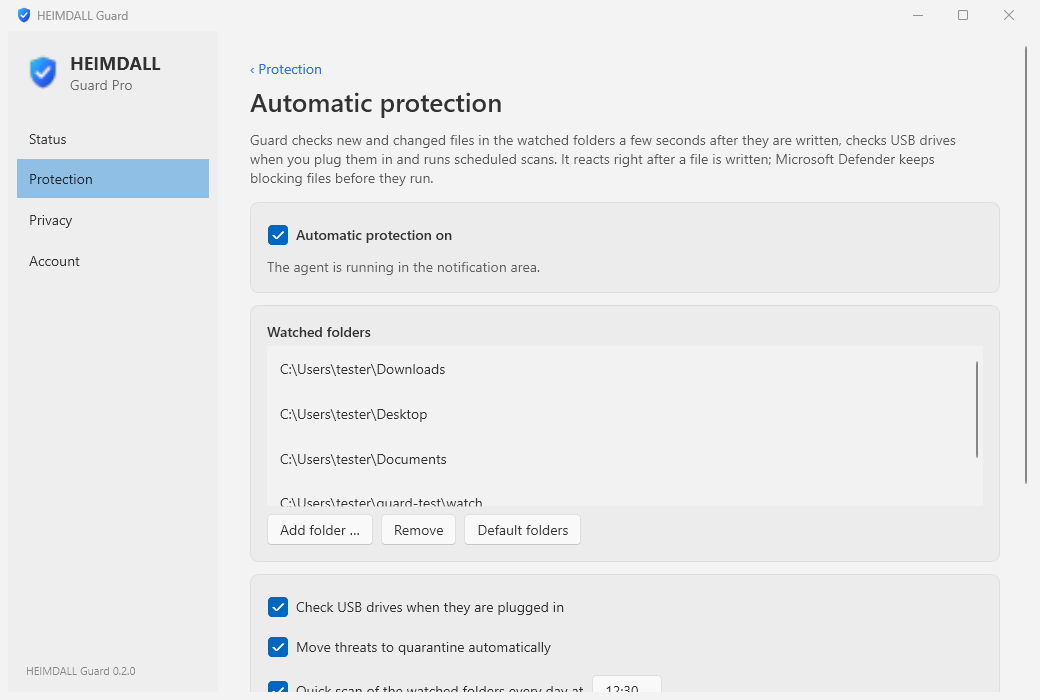
A download finishes, a USB stick is plugged in, an archive is unpacked. Guard notices new and changed files in your watched folders the moment they are written.
HEIMDALL Store · for Windows 10 and 11
The watchman for your computer. The engines of the secscan sandbox, on your desktop.
01
A download finishes, a USB stick is plugged in, an archive is unpacked. Guard notices new and changed files in your watched folders the moment they are written.
02
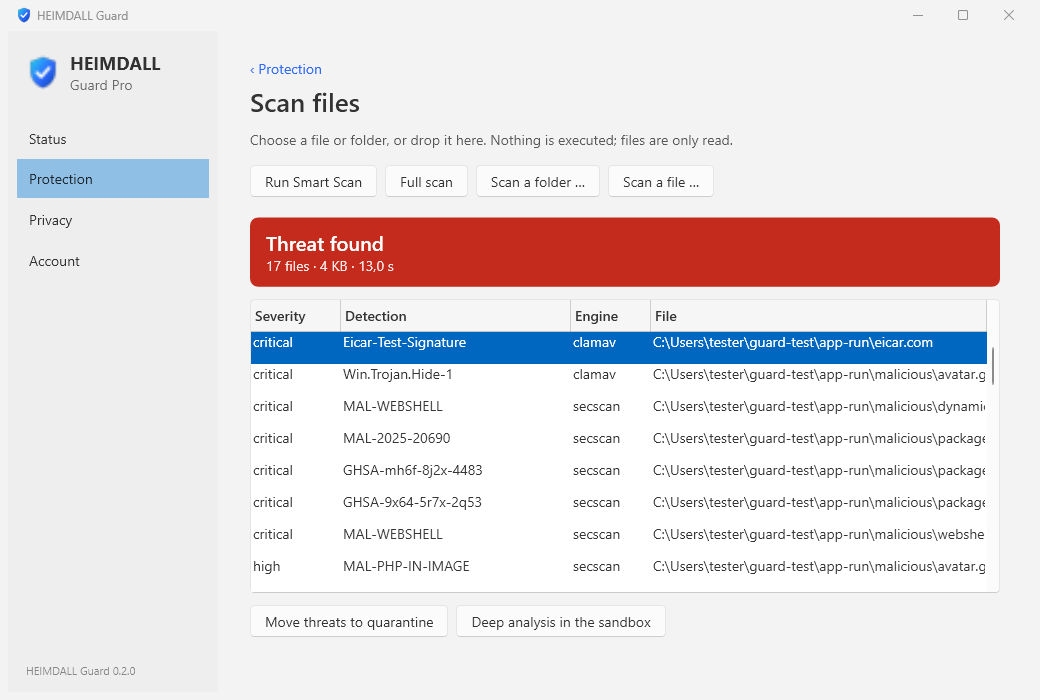
ClamAV signatures, the YARA rules of signature-base and php-malware-finder, and the secscan heuristics for web malware, secrets and vulnerable dependencies. The same engines as the secscan sandbox, on your computer.
03
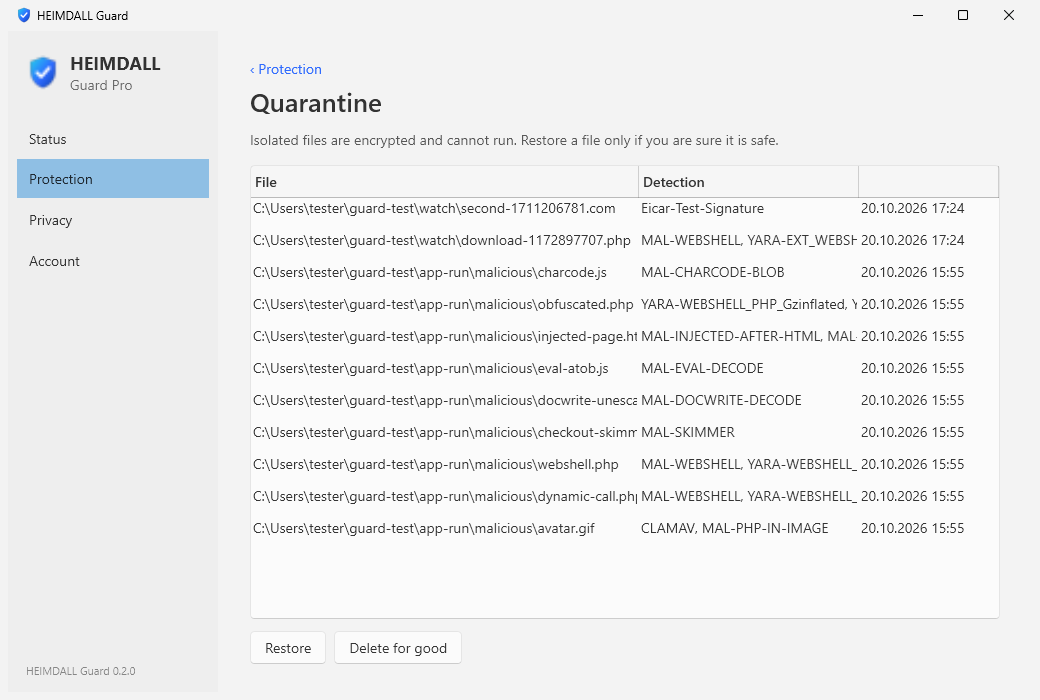
Within seconds the file is encrypted into the quarantine, where it cannot run. You decide later: restore it if it was a mistake, or delete it for good.
04
A notification on the computer, an email to you, and the protection status of every computer in your secscan profile. Only the detection name and a checksum leave the computer, never the file or its name.
The app
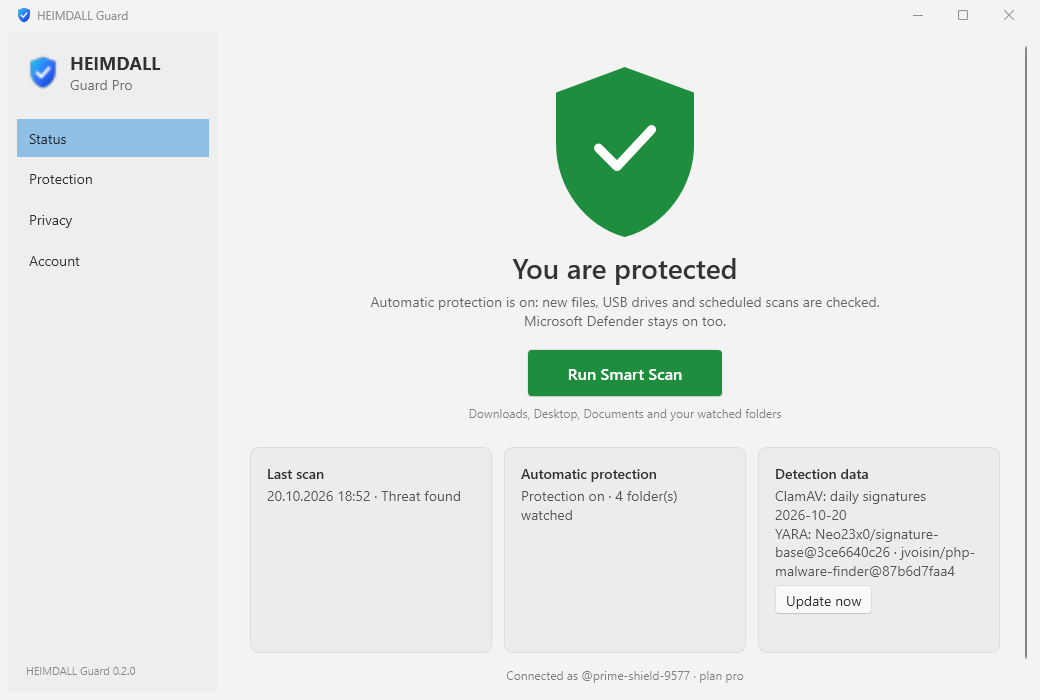
Status, Protection, Privacy, Account: everything is one click away, in English and German, light or dark like your Windows.
Editions
Free with a secscan account
Included in secscan Pro
For companies · by invitation
Guard works next to Microsoft Defender, which stays on and keeps blocking files before they run. Guard adds the secscan engines and reacts right after a file is written. No kernel driver, nothing that can stop Windows from starting.
Files are checked on your computer. secscan receives detection names and checksums only; a file is uploaded only when you send it for deep analysis yourself. Your sign-in is protected by Windows (DPAPI), the quarantine is encrypted.
The installer and Guard's own programs carry an Authenticode signature; the detection data is signed with an Ed25519 key and checked before every use. Compare the SHA-256 checksum below before you install.
Download
The installer is being prepared. Register for free now, and you can connect Guard as soon as it is available.
Sign up freeNo. Guard is made to run next to Defender. Keep Defender on.
Guard only reads files when they change or when you scan. ClamAV is started when it is needed and stopped again after ten idle minutes.
It is encrypted with a key that only your Windows account can open, and the original is removed. Restoring puts it back exactly as it was.
Yes, in Windows Settings › Apps. Your quarantine stays in your user folder, so no isolated file is lost by removing the program.
The Secure VPN with HEIMDALL Sentinel is in preparation and will be part of Pro. It will appear in Guard under Privacy.